Find me at

BNB CT


Licences

Tuesday, 28 April 2009

Thank you so much ladies for these fabulous tutorials :)
If anyone else makes anything I would love to see it.
Layouts, tags, tutorial, cards etc
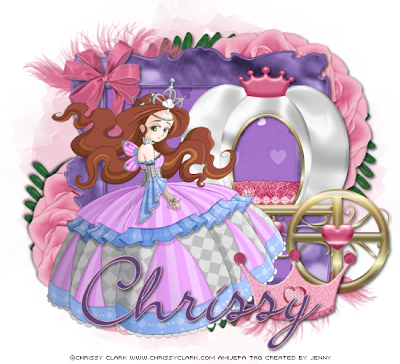
Above is a tutorial by Jenny and can be found here
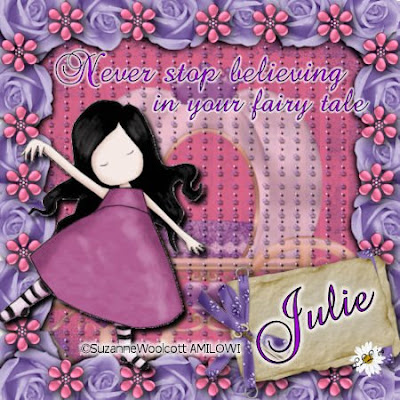
The pretty tutorial above is by Lori and can be found here.
If anyone else makes anything I would love to see it.
Layouts, tags, tutorial, cards etc

Above is a tutorial by Jenny and can be found here

The pretty tutorial above is by Lori and can be found here.
Sunday, 26 April 2009

Saturday, 25 April 2009

Wednesday, 22 April 2009

WOW my CT are really on a roll at the moment.
This beauty was created by Malu and can be found here
Are we there yet scrap kit is available in both full size and tagger size versions.
This beauty was created by Malu and can be found here
Are we there yet scrap kit is available in both full size and tagger size versions.

Tut created here by Bev using my 'Are we there yet?' kit.
This kit is available in both full size and tagger size.
This kit is available in both full size and tagger size.
Tuesday, 21 April 2009


Monday, 20 April 2009


Tutorial found here has been created by Lori using my snow bride kit which can is available in both tagger size and full size versions.

This pretty summer tutorial is available here and has been created by Lori using my 'At the beach' kit.
This kit is available in both tagger size and full size versions.
This kit is available in both tagger size and full size versions.
Sunday, 19 April 2009
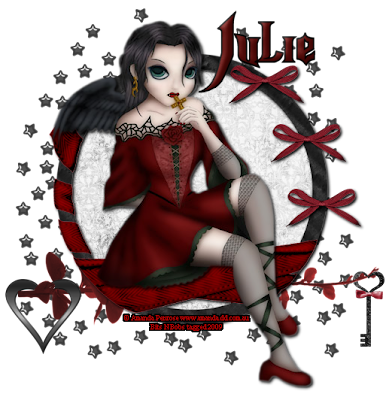 I am sooooo loving learning to write tutorials at the moment.
This one is using a free kit by Pimtress.
I have set up a tutorial blog and will only be posting the links on here from this point on.
Don't worry. I do have some freebies coming ;O)
Tutorial is here
I am sooooo loving learning to write tutorials at the moment.
This one is using a free kit by Pimtress.
I have set up a tutorial blog and will only be posting the links on here from this point on.
Don't worry. I do have some freebies coming ;O)
Tutorial is here
Friday, 17 April 2009
 Rock Princess
Tutorial written by and © to Bits N Bobs 17th April 2009
You are not allowed to share/forward or translate this tutorial or place it on any blog or website.
This tutorial is written from my own ideas and any similarities to any other tutorial is purely coincidental.
Tutorial is for those with a working knowledge of paintshop pro.
Supplies needed.
Font of choice for your name.
I am using Nightmare hero.
Tube of choice.
I am using hard stuff 1 free from popeyewong.com
Rock Princess tagger kit by Just a girl's design
I have used the following items from the above kit
Frame cluster, bkg4, drum set, star doodle, rocker, guitar 2, ticket and bling stars.
No outside filters needed.
This tutorial was written in PSP 9
Note
Open all the supplies in paintshop except the font.
Double click on your font and minimize.
Duplicate all other files and close the originals.
Open a new transparent file 500 x 500 @ 72 dpi
1. Copy and paste the frame cluster as a new layer on your working image.
2. Select the center of all 3, selctions/ modify/expand by 3 then add a new raster layer.
3. Copy and paste bkg4 into selection, selections none, layers arrange/move to bottom.
4. Resize Drum set to 200 pixels high copy and paste as a new layer, move layer to the top.
5. Effects/3Deffects/dropshadow with the follwoing settings.
Vertical 2
Horizontal 2
Opactity 100
Blur 5.00
Colour black
6. Star doodle, resize to 250, image mirror, copy and paste as a new layer, move into required position.
Layers arrange/send to bottom, duplicate layer, image/mirror, move into required position.
7. Activate the Rocker image and resize to 170 pixels high, copy and paste as a new layer, move layer to top position and add dropshadow with the follwoing settings.
Effects/3Deffects/dropshadow
Vertical 2
Horizontal 2
Opactity 100
Blur 5.00
Colour black
8. Activate Popeye wong hard stuff 1 copy and paste as a new layer.
9. Avticate Guitar 2 resize to 225 pixels high, copy and paste as a new layer.
Lower opacity slightly and erase part of it by the fingers so it looks like the tube is holding the guitar then raise opacity again. Layers/merge down Effects/3Deffects/dropshadow with the following settings
Vertical 2
Horizontal 2
Opactity 100
Blur 5.00
Colour black
10. Activate your tube layer and using your eraser rub out her feet
11. Resize ticket to 150 pixels wide. Copy and paste as a new layer.
Activate your Raster deform tool and turn the ticket.
12. Activate blingstars copy and paste as a new layer, move bling layer down 1 layer. Effects/3Deffects/dropshadow with the following settings
Vertical 2
Horizontal 2
Opactity 100
Blur 5.00
Colour black
13. Duplicate bling layer and move into required position.
14. Duplicate bling layer again and move into required position.
15. Activate cluster frame layer, Effects/3Deffects/dropshadow with the following settings
Vertical 2
Horizontal 2
Opactity 100
Blur 5.00
Colour black
16. Add copyright info, watermark, name and export as a png file.
Rock Princess
Tutorial written by and © to Bits N Bobs 17th April 2009
You are not allowed to share/forward or translate this tutorial or place it on any blog or website.
This tutorial is written from my own ideas and any similarities to any other tutorial is purely coincidental.
Tutorial is for those with a working knowledge of paintshop pro.
Supplies needed.
Font of choice for your name.
I am using Nightmare hero.
Tube of choice.
I am using hard stuff 1 free from popeyewong.com
Rock Princess tagger kit by Just a girl's design
I have used the following items from the above kit
Frame cluster, bkg4, drum set, star doodle, rocker, guitar 2, ticket and bling stars.
No outside filters needed.
This tutorial was written in PSP 9
Note
Open all the supplies in paintshop except the font.
Double click on your font and minimize.
Duplicate all other files and close the originals.
Open a new transparent file 500 x 500 @ 72 dpi
1. Copy and paste the frame cluster as a new layer on your working image.
2. Select the center of all 3, selctions/ modify/expand by 3 then add a new raster layer.
3. Copy and paste bkg4 into selection, selections none, layers arrange/move to bottom.
4. Resize Drum set to 200 pixels high copy and paste as a new layer, move layer to the top.
5. Effects/3Deffects/dropshadow with the follwoing settings.
Vertical 2
Horizontal 2
Opactity 100
Blur 5.00
Colour black
6. Star doodle, resize to 250, image mirror, copy and paste as a new layer, move into required position.
Layers arrange/send to bottom, duplicate layer, image/mirror, move into required position.
7. Activate the Rocker image and resize to 170 pixels high, copy and paste as a new layer, move layer to top position and add dropshadow with the follwoing settings.
Effects/3Deffects/dropshadow
Vertical 2
Horizontal 2
Opactity 100
Blur 5.00
Colour black
8. Activate Popeye wong hard stuff 1 copy and paste as a new layer.
9. Avticate Guitar 2 resize to 225 pixels high, copy and paste as a new layer.
Lower opacity slightly and erase part of it by the fingers so it looks like the tube is holding the guitar then raise opacity again. Layers/merge down Effects/3Deffects/dropshadow with the following settings
Vertical 2
Horizontal 2
Opactity 100
Blur 5.00
Colour black
10. Activate your tube layer and using your eraser rub out her feet
11. Resize ticket to 150 pixels wide. Copy and paste as a new layer.
Activate your Raster deform tool and turn the ticket.
12. Activate blingstars copy and paste as a new layer, move bling layer down 1 layer. Effects/3Deffects/dropshadow with the following settings
Vertical 2
Horizontal 2
Opactity 100
Blur 5.00
Colour black
13. Duplicate bling layer and move into required position.
14. Duplicate bling layer again and move into required position.
15. Activate cluster frame layer, Effects/3Deffects/dropshadow with the following settings
Vertical 2
Horizontal 2
Opactity 100
Blur 5.00
Colour black
16. Add copyright info, watermark, name and export as a png file.
Wednesday, 1 April 2009
Another fabulous tutorial by Jenny using my 'At the beach' kit.
Thank you sweetness.
This kit is available in both Tagger size and Full size
I may actually attempt this one myself LOL
Thank you sweetness.
This kit is available in both Tagger size and Full size
I may actually attempt this one myself LOL
Subscribe to:
Posts
(Atom)
Stores


BNB Blinkie